Pixelied AppSumo LTD Review – Design Social Media Graphics in Minutes
Pixelied AppSumo LTD Review: Design social media graphics fast. Explore features, ease of use, and the lifetime deal value.
Pixelied AppSumo LTD Review – Design Social Media Graphics in Minutes
What Is Pixelied?
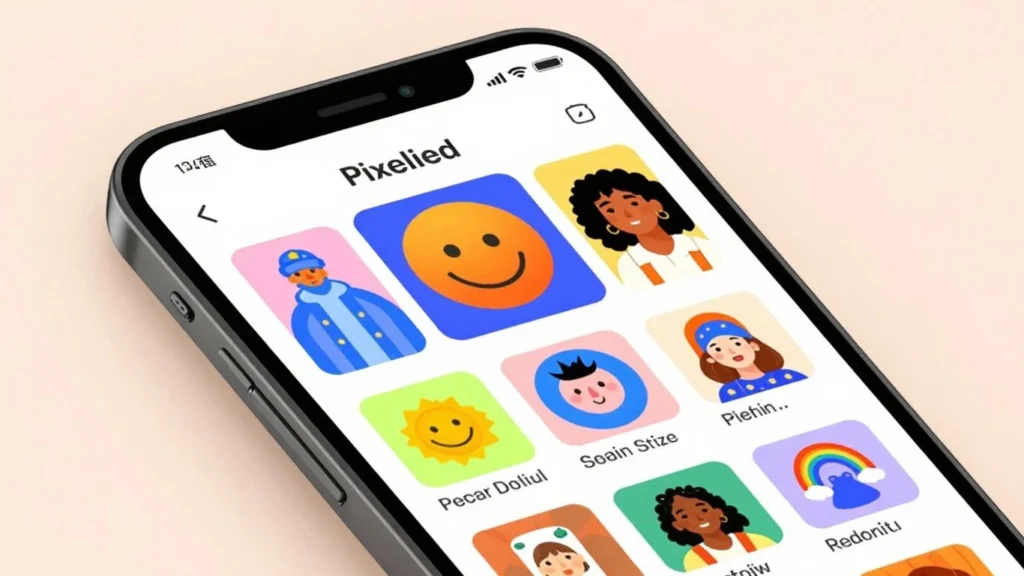
So, you’re looking to make some snazzy graphics for social media, right? Maybe you’ve tried other tools, or maybe you’re just starting out. Pixelied is a design tool that aims to make creating visuals pretty straightforward. Think of it as your digital workbench for making images that look good on Facebook, Instagram, Twitter, and all those other places you share stuff online. It’s built for people who need graphics but don’t necessarily have a design degree. You can whip up posts, banners, ads, and more without needing to be a Photoshop wizard. It’s all about getting decent-looking results without a huge learning curve.
Key Features Of Pixelied
When you check out Pixelied, you’ll notice a few things that stand out. They’ve got a bunch of pre-made templates, which are basically starting points for your designs. You can change colors, add text, and swap out images. There’s also a background remover tool, which is handy if you want to cut out a subject from a photo. They also provide access to stock photos and icons, so you don’t have to go searching all over the internet for images. For a tool like this, having these built-in resources saves a lot of time. You can also save your brand colors and logos, which is a nice touch for keeping things consistent.
Who Is Pixelied For?
This tool seems to be aimed at a few different groups. Small business owners who are managing their own social media would find it useful. Bloggers who need images for their posts could also get a lot out of it. Freelancers who do a bit of everything for clients might use it for quick graphic jobs. Basically, if you’re someone who needs to create visual content regularly but doesn’t have the budget for a professional designer or the time to master complex software, Pixelied is worth a look. It’s for the do-it-yourselfer who wants professional-looking results without the professional price tag or the steep learning curve.
Getting Started With Pixelied
So, you’ve decided to give Pixelied a whirl. Good choice. Getting started is pretty straightforward, even if you’re not exactly a design whiz.
User Interface And Ease Of Use
When you first log in, you’ll see a clean layout. It’s not cluttered with a million buttons and menus, which is nice. Everything is pretty much where you’d expect it to be. The main workspace is front and center, with your tools and options neatly organized to the side. You can probably figure out most of the basics without even looking at a tutorial. It feels pretty intuitive, like using software you’ve used before, even if you haven’t. It doesn’t try to be overly complicated, and that’s a big plus when you just want to get something designed without a headache.
Template Library Exploration
This is where Pixelied really shines for beginners. They have a massive library of templates. Seriously, it’s huge. You can find templates for almost anything you can think of – social media posts, ads, presentations, you name it. Just click on ‘Templates’ and start browsing. You can filter by category, like ‘Facebook Post’ or ‘Instagram Story’, which saves a ton of time. Each template is a good starting point, giving you a professional look without you having to start from a blank canvas. You can pick one that’s close to what you need and then tweak it.
Customization Options
Once you’ve picked a template, or if you decide to start from scratch, customizing is easy. You can change colors, fonts, images, and text. There are simple drag-and-drop tools for moving things around. If you want to swap out a photo, just drag a new one from their library or upload your own. Changing text is as simple as clicking on it and typing. You can adjust the size and style of fonts too. It gives you enough control to make the design your own without overwhelming you with too many technical settings. You can even add your own logo or brand elements if you have them ready.
Designing Social Media Graphics
Now that you’ve got a feel for Pixelied, let’s get down to the fun part: actually making some graphics for your social media. It’s surprisingly straightforward, even if you’ve never designed anything before. You’ll find that Pixelied makes it pretty easy to whip up something that looks good.
Creating Posts For Facebook And Instagram
When you’re thinking about Facebook and Instagram, you want visuals that grab attention right away. Pixelied has templates specifically sized for these platforms. You can pick a template that fits your vibe, whether it’s for a sale announcement, a new product, or just a daily quote. Changing the text is as simple as clicking on it and typing. You can swap out images too, either by uploading your own or using the ones Pixelied provides. The drag-and-drop interface means you can rearrange elements without any fuss. It’s really about making it yours.
Designing Engaging Twitter Graphics
Twitter moves fast, so your graphics need to be punchy. Pixelied offers templates for Twitter posts and headers. For posts, think about what will make someone stop scrolling. Maybe it’s a bold statistic or a striking image. You can add your logo easily to keep your branding consistent. For headers, you want something that represents your brand well. Pixelied lets you adjust colors and fonts to match your existing style. It doesn’t take long to get something that looks professional.
Crafting Professional LinkedIn Banners
LinkedIn is a bit more professional, and your banner should reflect that. Pixelied has templates for LinkedIn banners that are already the correct size. You can choose a clean, modern design or something that highlights your services. Adding your company name or a tagline is simple. You can also use images that speak to your industry. The goal here is to make a good first impression, and Pixelied gives you the tools to do that without needing a graphic designer on staff.
Advanced Features And Integrations
Beyond the basics, Pixelied packs some neat tools that can really speed things up. You know how sometimes you’ve got a great photo but the background is just… distracting? Pixelied has a background remover tool that’s pretty good at cleaning that up. You just upload your image, hit the button, and it tries to isolate your subject. It’s not always perfect, especially with tricky edges, but for most common uses, it does a solid job. This alone can save you a bunch of time compared to using more complex software.
Then there are the built-in libraries. You’ve got access to a decent collection of stock photos and icons right within the editor. Instead of hunting around on other sites, you can often find what you need without leaving Pixelied. The quality varies, of course, but it’s handy for quick projects. You can search by keyword and drag them straight into your design.
When it comes to getting your designs out there or working with other tools, Pixelied plays nice with a few other platforms. While it might not have dozens of integrations like some bigger players, it connects with common services you might already use. This ability to connect can streamline your workflow significantly. For instance, you can often export directly to cloud storage or connect to social media schedulers. It’s worth checking their current list of integrations to see if it fits with how you already work.
The Value Of Pixelied AppSumo LTD
Understanding The Lifetime Deal
So, you’re looking at the Pixelied AppSumo LTD, and you’re wondering what it really means for you. Basically, it’s a one-time purchase that gives you access to Pixelied’s premium features forever. No monthly bills, no subscriptions to keep track of. You pay once, and it’s yours. This can be a pretty big deal if you’re a small business owner, a freelancer, or just someone who needs to make graphics regularly without breaking the bank. Think about how much you’d spend on subscriptions over a few years – it adds up fast. This lifetime deal cuts all that out.
Comparing Pixelied To Competitors
When you put Pixelied next to other design tools out there, it holds its own, especially considering the AppSumo price. Tools like Canva have their own free and paid tiers, and Adobe Express is another option. But often, to get the really good stuff – like advanced editing tools or a huge library of assets – you end up paying a monthly fee. Pixelied, with the AppSumo deal, gives you a lot of those premium features for that single payment. It might not have every single bell and whistle of the super high-end professional software, but for social media graphics, ads, and general design work, it’s surprisingly capable. You get a lot of bang for your buck here.
Is The AppSumo Deal Worth It?
Let’s cut to the chase: is the AppSumo deal for Pixelied actually worth your money? If you’re going to use the tool more than a few times, then yes, probably. The cost of the lifetime deal is often less than what you’d pay for just a few months of a similar service. You get access to a good range of templates, editing tools, and stock assets. If you’re tired of paying monthly fees for design software or if you’re just starting out and need an affordable way to create professional-looking graphics, this deal makes a lot of sense. It’s a smart move for your budget and your design workflow.
Performance And User Experience
Speed And Responsiveness
When you’re trying to get graphics done quickly, the last thing you want is a slow program. Pixelied generally feels pretty zippy. Loading up templates and making edits usually happens without much lag. You can drag and drop elements, resize them, and change colors, and most of the time, it keeps up with you. It’s not quite as instant as some of the really high-end desktop software, but for a web-based tool, it’s definitely on the faster side. Sometimes, if you’re working with a really complex design with tons of layers or large images, you might notice a slight pause, but it’s not a deal-breaker. Overall, you won’t find yourself waiting around too much.
Customer Support Availability
If you run into a snag, you’ll want to know if help is there. Pixelied offers a few ways to get support. They have a help center with articles and FAQs that cover a lot of common questions. If you need more direct help, you can usually reach out via email or a contact form. Response times can vary, of course. Sometimes you might get an answer within a few hours, other times it might take a day or so. It’s good to have these options available, especially when you’re on a deadline and need a quick fix.
Overall User Satisfaction
Looking at what other users say, most people seem pretty happy with Pixelied, especially considering the price point, particularly if you snagged it on AppSumo. People appreciate that it makes designing social media posts accessible, even if you don’t have a design background. The ease of use and the variety of templates are often mentioned as big pluses. Of course, no tool is perfect for everyone. Some users might wish for more advanced features found in more expensive software, but for its intended purpose – quick and easy graphic design – it hits the mark for a lot of people. You get a lot of bang for your buck here.
So, Should You Grab Pixelied?
Alright, so you’ve seen what Pixelied can do. If you’re tired of wrestling with complicated design software just to get a decent social media post out there, this might be your ticket. It’s pretty straightforward, and you can whip up graphics pretty fast. For the price you can get it for on AppSumo, it seems like a solid deal if you need to make graphics regularly but don’t want to spend a fortune or a ton of time learning something new. Give it a whirl and see if it fits your workflow. You might be surprised at how easy it is to get your designs looking good.