Website Auditor AppSumo LTD Review: On-Page SEO Audit Made Easy
Website Auditor AppSumo LTD Review: Discover how this tool simplifies on-page SEO audits. Get actionable insights and maximize your investment.
Website Auditor AppSumo LTD Review: An Overview
What Is Website Auditor?
So, you’re looking into Website Auditor, huh? It’s a piece of software designed to help you figure out what’s going on with your website’s SEO, specifically the stuff that happens on your site. Think of it like a mechanic for your website. It checks all the parts – the code, the content, how things are linked together – to see if they’re working right for search engines like Google. It’s basically a tool to find problems and suggest fixes so your site can rank better. You don’t need to be a tech wizard to use it, which is a big plus.
Key Features Of The Tool
Website Auditor comes with a bunch of features that are pretty handy. It can crawl your entire website, just like a search engine bot would, and then it spits out a report. This report covers a lot of ground, from broken links and missing title tags to more complex things like site speed and mobile-friendliness. It also looks at your content to see if it’s something people are actually searching for and if it’s well-organized. Plus, it gives you ideas about how to link pages within your own site better, which helps both users and search engines find their way around. It’s not just about finding problems; it’s about giving you a roadmap to fix them.
Understanding The AppSumo LTD Deal
Now, about that AppSumo LTD deal. AppSumo is known for offering lifetime deals on software, and this is one of them. Usually, tools like Website Auditor cost a monthly fee, which can add up. With the AppSumo deal, you pay a one-time price and get access to the software for good. This can be a really smart move if you plan on using the tool regularly for your own site or for clients. You get all the features, often including future updates, without the recurring bills. It’s a way to get a professional SEO tool without breaking the bank, which is pretty appealing if you’re on a budget or just starting out.
Navigating The Website Auditor Interface
So, you’ve got Website Auditor fired up. What’s it like to actually use? Let’s break down the interface.
User-Friendliness And Design
First impressions matter, right? Website Auditor keeps things pretty straightforward. It’s not overly flashy, which I actually appreciate. The layout is clean, and you can generally find what you’re looking for without too much head-scratching. The color scheme is easy on the eyes, which is a plus when you’re spending a good chunk of time staring at your screen. It feels like a tool built for getting the job done, rather than winning design awards.
Ease Of Project Setup
Getting started with a new project is usually the first hurdle with any software. With Website Auditor, it’s not bad. You’ll need to input your website’s URL, and the tool will then ask you how you want to crawl it. You can choose to crawl the whole site or just specific sections. It guides you through the initial setup, and before you know it, the audit is underway. It’s a pretty simple process, even if you’re not super tech-savvy. Think of it like giving your website a regular check-up; this initial step is like telling the doctor which part of you hurts website audit.
Dashboard Navigation
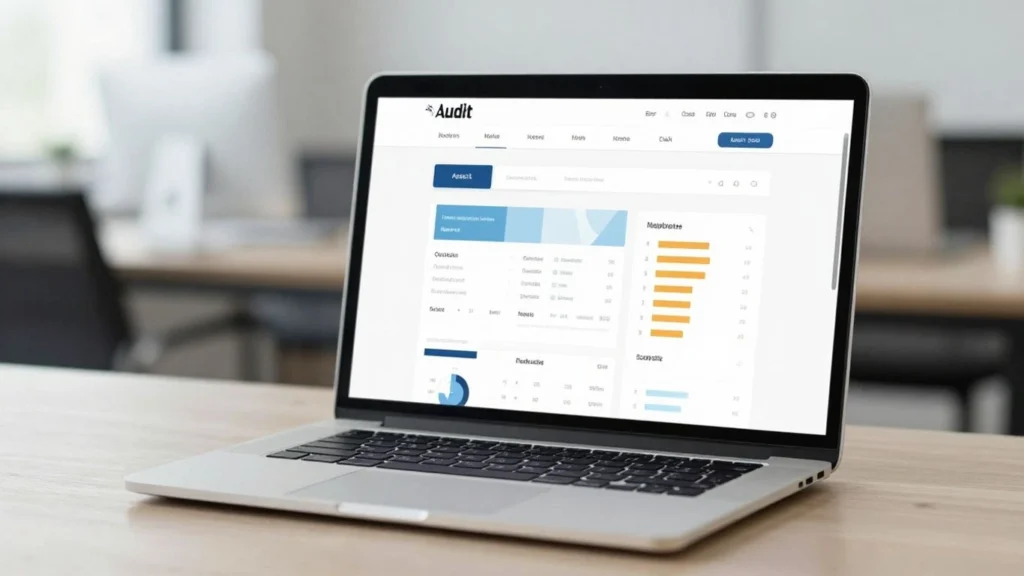
Once the crawl is complete, you land in the main dashboard. This is where all the audit data lives. It’s organized into different sections like Technical Audit, Content Audit, and so on. You can click into each section to see the specific issues found. The navigation is mostly menu-driven on the left side. It’s pretty logical, so you can jump between different types of checks without getting lost. You’ll see a list of problems, often with a severity rating, and then you can click for more details on each one. It’s designed to help you see the big picture and then zoom in on the details.
Performing On-Page SEO Audits With Website Auditor
So, you’ve got Website Auditor fired up and ready to go. Now comes the part where you actually use it to check your website’s on-page SEO. This is where the rubber meets the road, so to speak. It’s not just about finding problems; it’s about understanding what those problems mean for your site’s visibility.
Technical SEO Checks
First off, Website Auditor digs into the nitty-gritty technical stuff that can trip up search engines. Think about things like broken links, which are like dead ends for visitors and crawlers. It also checks for slow page load speeds, which nobody likes, and whether your site is mobile-friendly. These technical aspects are the foundation of your site’s SEO health. If these aren’t right, even the best content won’t perform as well as it could. You’ll get a clear picture of any crawl errors or duplicate content issues that need your attention.
Content Optimization Analysis
Once the technical bits are sorted, Website Auditor looks at your actual content. It helps you see if your keywords are being used effectively. Are you stuffing them in, or are they naturally placed? It checks title tags and meta descriptions to make sure they’re compelling and informative. The tool also gives you ideas on how to improve your content’s readability and structure, making it more appealing to both users and search engines. It’s about making sure your content is not just there, but that it’s working hard for you.
Internal Linking Opportunities
Internal links are super important for helping search engines understand your site’s structure and for keeping visitors engaged. Website Auditor points out where you might be missing opportunities to link between your own pages. This can help spread link equity around your site and guide users to related content they might find interesting. It’s like creating a helpful roadmap within your own website, making it easier for everyone to find what they need and for search engines to discover all your important pages.
Website Auditor’s Reporting Capabilities
So, you’ve run your audit with Website Auditor. What happens next? Well, the tool doesn’t just leave you hanging with a bunch of data. It actually puts together reports that make sense of it all. You get to see exactly what needs fixing on your site. These reports are designed to be clear, so you know what steps to take.
Customizable Audit Reports
One thing you’ll notice is that you’re not stuck with a one-size-fits-all report. Website Auditor lets you tweak what goes into the final document. If you only care about technical issues, you can focus on that. Or maybe you want to show your client just the content suggestions. You can tailor the reports to fit your specific needs, which is pretty handy.
Actionable Insights Provided
It’s not just about listing problems; it’s about telling you how to fix them. The reports break down the issues and give you practical advice. For example, if there’s a broken link, it’ll tell you where it is and how to repair it. This makes the whole process of improving your website much more straightforward. You get a clear path forward for your on-page SEO audit.
Exporting And Sharing Options
Once you have your report, you’ll probably want to save it or send it to someone else, like a developer or a client. Website Auditor makes this easy. You can export the reports in different formats, like PDF, so you can easily share them. This way, everyone involved stays on the same page about what needs to be done to improve the website’s performance.
Comparing Website Auditor To Competitors
When you’re looking at tools like Website Auditor, it’s smart to see how it stacks up against others you might know. You’ve probably heard of SEMrush or Ahrefs, right? Those are big names, and they do a lot. Website Auditor, especially with the AppSumo deal, feels different. It’s really focused on the audit part. While SEMrush and Ahrefs have tons of features for keyword research, rank tracking, and backlink analysis, Website Auditor zeroes in on finding problems with your site’s SEO. It’s like comparing a Swiss Army knife to a really good screwdriver. The big guys offer a whole suite of services, which can be great if you need everything under one roof, but it also means a higher price tag and maybe more complexity than you need just for audits. Website Auditor, on the other hand, gives you a specific job done well. For someone who already has other tools for keyword research or link building and just needs a solid on-page and technical SEO check-up, this could be a much better fit. You’re not paying for a bunch of features you’ll never use. Think about what you actually need. If your main goal is to find and fix SEO issues on your website, Website Auditor is a strong contender, especially considering the lifetime deal. If you’re building an SEO strategy from scratch and need a tool that does it all, you might look at the bigger platforms, but be ready for the cost.
Maximizing Your Website Auditor AppSumo LTD Investment
Leveraging The Lifetime Deal
So you’ve snagged the Website Auditor AppSumo LTD deal. That’s pretty neat, right? A lifetime license means you’re not paying monthly fees, which is a big win for your budget. Think of it as a one-time purchase that keeps on giving. This deal is your ticket to ongoing SEO improvements without recurring costs. You can run audits as often as you need, whenever you need them, without worrying about the meter running up. It’s perfect for keeping tabs on your site’s health or for clients if you’re doing freelance work. Don’t let this investment sit idle; make it a regular part of your website management routine.
Integrating With Other SEO Tools
Website Auditor doesn’t have to be a standalone tool. You can get even more out of it by connecting it with other SEO software you might be using. For instance, if you’re tracking keyword rankings elsewhere, you can import that data. This gives you a more complete picture of your SEO performance. Imagine seeing your technical audit results alongside your keyword positions – it really helps connect the dots. Think about what other tools you use and how Website Auditor’s findings could complement them. This kind of integration makes your overall SEO strategy much stronger.
Best Practices For Ongoing Audits
Running an audit once is good, but doing it regularly is where the real magic happens. Set a schedule for yourself. Maybe it’s once a month, or perhaps after you make significant changes to your website. When you get your audit reports, don’t just file them away. Actually look at the suggestions and try to implement them. Prioritize the issues that seem most important for your site’s performance. Consistent auditing and action are key to sustained SEO success. It’s like going to the doctor for check-ups; you catch problems early before they become big headaches. Keep at it, and you’ll see your site climb those search results.
So, Is Website Auditor Worth It?
Alright, so you’ve heard the rundown on Website Auditor. If you’re tired of wrestling with complicated SEO tools or just want a clearer picture of what’s going on with your website’s on-page stuff, this app could be a good fit. It really does make checking things like title tags, meta descriptions, and content issues pretty straightforward. You get a solid report without needing to be an SEO wizard. For the price, especially if you snag it on a deal, it seems like a smart move for anyone looking to get their website in better shape. Give it a try and see if it helps you sort out your site’s SEO.