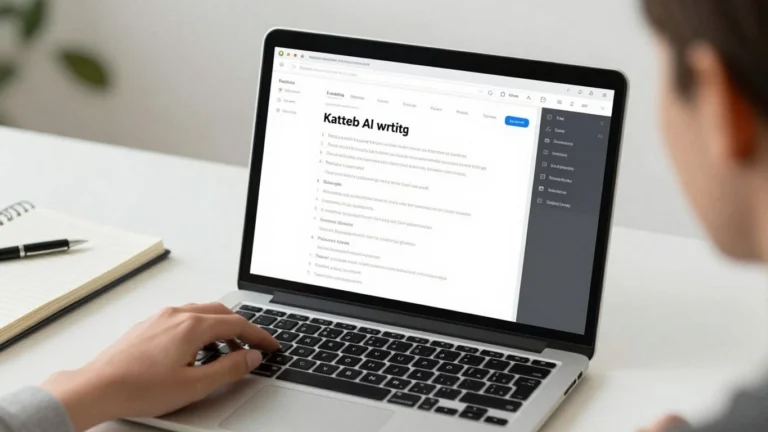
Contentpace App Review: Inside the AppSumo Lifetime Offer
Contentpace App Review: Explore the AppSumo lifetime deal, features, AI tools, SEO benefits, and user feedback. Is it worth it?

Understanding Contentpace App Review
So, you’re looking into Contentpace, especially with that AppSumo lifetime deal floating around. It’s smart to get a good handle on what this tool actually does before you commit. We’re going to break down the basics here, so you know exactly what you’re getting into.
What is Contentpace?
Basically, Contentpace is a content creation platform. Think of it as a digital assistant that helps you brainstorm ideas, write content, and even optimize it for search engines. It uses AI to speed up the process, which can be a real game-changer if you’re churning out a lot of articles, blog posts, or website copy. It aims to make content creation less of a chore and more of a streamlined operation. It’s designed for marketers, bloggers, and anyone who needs to produce written content regularly.
Key Features of Contentpace
Contentpace packs a bunch of features into one place. Here are some of the main things you can expect:
- AI Writing Assistance: This is the core. It can help you write different types of content, from blog post outlines to full paragraphs. It’s not going to write a masterpiece for you automatically, but it gives you a solid starting point.
- SEO Tools: It includes features to help you research keywords and see how well your content is likely to perform in search results. This means you can write content that people are actually looking for.
- Content Planning: You can use it to organize your content ideas and plan out your editorial calendar.
- Plagiarism Checker: A built-in checker helps make sure your content is original.
The AppSumo Lifetime Deal Explained
AppSumo deals are pretty popular because they offer lifetime access to software for a one-time payment. With Contentpace, this means you pay once and get to use the platform for as long as it exists, usually with access to certain tiers of features or usage limits. It’s a way to get a powerful tool without ongoing monthly fees. The specifics of the deal, like the number of credits or users, are important to check because they can vary. It’s a good way to try out a tool without a long-term financial commitment, but you’ll want to understand what you’re getting for your money.
Navigating the Contentpace Interface
So, you’ve got your hands on the Contentpace lifetime deal, and now it’s time to actually use the thing. Don’t worry, it’s not overly complicated. Let’s walk through what you’ll see when you log in and how to get started with creating some content.
Dashboard Overview
When you first log into Contentpace, you’ll land on your main dashboard. Think of this as your command center. It gives you a quick look at your recent projects, any active content briefs, and maybe some usage stats if you’ve been busy. It’s pretty straightforward, designed to give you a snapshot without overwhelming you. You’ll usually find links to start new projects or access existing ones right from here. The main goal is to get you to your content quickly.
Content Creation Workflow
Contentpace has a structured way of helping you build content, which is actually pretty helpful. It breaks down the process into manageable steps:
- Start a New Project: You’ll begin by setting up a new project, usually by entering your main topic or target keyword.
- Create a Content Brief: This is where you define what the article is about. You’ll add details like the target audience, the main points you want to cover, and any specific instructions.
- Generate Content: Once the brief is ready, you can start using the AI tools to write sections or even a full draft.
- Review and Edit: After the AI does its thing, you’ll go in to refine the text, add your own voice, and make sure it flows well.
This step-by-step approach helps keep you focused and makes sure you don’t miss important details along the way.
AI Writing Assistant Tools
This is where the magic happens, right? Contentpace comes with a few different AI tools to help you write. You’ve got your standard AI writer that can generate paragraphs or expand on ideas. There are also tools for specific tasks, like rewriting sentences, summarizing text, or even coming up with different headline options. You’ll find these tools integrated into the content editor, so you can use them as you write. Just highlight some text or place your cursor where you want new content, and pick the tool you need. It’s designed to speed up the writing process, especially for those parts that can feel like a slog.
Leveraging Contentpace for SEO Success
So, you’ve got Contentpace, and you’re wondering how it can actually help your website rank better. It’s not just about writing more; it’s about writing smarter. Contentpace gives you tools to make your content more appealing to search engines, which in turn, can bring more people to your site. This app is designed to guide you toward creating content that both users and Google will love.
Keyword Research Integration
Finding the right keywords is the first step. Contentpace helps you with this. You can input your main topic, and it will suggest related terms that people are actually searching for. This means you’re not just guessing what to write about; you’re targeting terms that have search volume.
- Discover related keywords: See what other phrases people use when searching for your topic.
- Analyze keyword difficulty: Get an idea of how hard it might be to rank for certain terms.
- Understand search intent: Figure out what users are really looking for when they type a keyword into Google.
On-Page Optimization Guidance
Once you know your keywords, you need to use them effectively in your content. Contentpace provides real-time feedback as you write. It tells you if you’re using your target keywords enough, too much, or not at all. It also looks at other on-page factors that search engines care about.
Here’s what it helps with:
- Keyword density checks: Make sure your main keywords are present without sounding unnatural.
- Related term suggestions: It prompts you to include synonyms and related phrases to make your content richer.
- Readability scores: Helps you write content that’s easy for people to read, which Google also likes.
- Internal and external linking prompts: Reminds you to link to other relevant pages on your site and to authoritative external sources.
Content Scoring and Analysis
After you’ve written your piece, Contentpace gives it a score. This score is based on how well it’s optimized for your target keywords and other SEO factors. It’s like a report card for your article before you even publish it. You can then go back and make adjustments based on the score. This iterative process helps you improve your content over time. You can see how changes you make affect the score, giving you direct feedback on your optimization efforts. It’s a practical way to refine your articles and give them the best chance to perform well in search results.
Contentpace vs. Competitors
Feature Comparison
So, how does Contentpace stack up against other AI writing tools out there? It’s a good question to ask, especially when you’re looking at a lifetime deal. You want to make sure you’re not just getting a bargain, but also a tool that actually does what you need it to do. Contentpace has a few things going for it. It focuses a lot on SEO, which is pretty neat. You get keyword research built-in and guidance on how to make your content rank better. Other tools might be more general, just spitting out text without much thought for search engines. Think about tools like Rytr AI, which is also an AI writer but might have a different focus. Contentpace’s strength seems to be in that integrated SEO approach. It’s not just about writing; it’s about writing content that people will actually find.
Pricing and Value Proposition
This is where the AppSumo lifetime deal really shines. When you compare the cost of Contentpace’s lifetime offer to the monthly subscriptions of many other AI writing platforms, it’s a no-brainer. You pay once and you’re set. Most competitors charge a recurring fee, and those costs can add up fast, especially if you’re using the tool regularly. For example, if you were to pay monthly for a similar service, you could easily spend hundreds of dollars a year. With Contentpace, you get access to its features for life, which is a huge plus for anyone on a budget or just looking to save money long-term. It makes advanced content creation tools accessible without the ongoing financial pressure.
User Experience Differences
When you first log into Contentpace, you’ll probably notice it’s pretty straightforward. The interface isn’t overly complicated, which is nice. You can usually figure out where to go and what to do without too much head-scratching. Some other AI writing tools can feel a bit overwhelming with tons of options and settings right from the start. Contentpace seems to aim for a simpler workflow, especially with its content creation process. You go from idea to draft without too many detours. This can be a big deal if you just want to get content written without a steep learning curve. It feels more like a focused tool rather than a jack-of-all-trades that tries to do everything but doesn’t do any one thing perfectly.
Maximizing Your Contentpace Lifetime Deal
So, you’ve snagged that Contentpace lifetime deal from AppSumo. That’s pretty cool, right? Now comes the fun part: actually using it to make your content game stronger. It’s not just about having the tool; it’s about making it work for you. This isn’t just another piece of software to collect digital dust; it’s a chance to really change how you create.
Tips for Effective Content Generation
Getting the most out of Contentpace means being smart about how you use its features. Don’t just jump in and expect magic. Think about your goals first.
- Know Your Audience: Before you even start typing, who are you writing for? What do they care about? Contentpace can help you find topics, but you need to guide it with your audience in mind.
- Start with a Plan: Don’t just write randomly. Outline your article. What are the main points you want to cover? Contentpace’s AI can help flesh out sections, but a solid structure comes from you.
- Use the AI Wisely: The AI writing assistant is a big help, but don’t let it write everything. Use it to overcome writer’s block, expand on ideas, or rephrase sentences. Always review and edit what it produces to make sure it sounds like you and is accurate.
- Focus on Readability: Contentpace gives you scores and suggestions. Pay attention to them. Shorter sentences, clear headings, and good paragraph breaks make a big difference in how people actually read your stuff.
Integrating Contentpace into Your Workflow
Adding Contentpace to your daily grind shouldn’t feel like a chore. It should make things smoother. Think about where it fits best.
- Research Phase: Use Contentpace early on to brainstorm topics and get a feel for what keywords people are searching for. This helps you create content that’s more likely to be found.
- Drafting Stage: When you’re writing, keep Contentpace open. Use its AI to help you get past sticky points or to generate different ways to say something.
- Optimization and Editing: After you have a draft, run it through Contentpace’s analysis tools. See where you can improve your on-page SEO, check your content score, and make sure it’s hitting the mark.
- Repurposing Content: Think about how you can use Contentpace to turn a blog post into social media snippets or a video script outline. It’s a versatile tool if you look beyond just articles.
Long-Term Benefits of the AppSumo Offer
That lifetime deal isn’t just a one-time purchase; it’s an investment. Over time, the savings add up, and you get continuous access to updates and new features without paying monthly fees. This means you can keep producing content without worrying about rising subscription costs. It gives you the freedom to experiment and scale your content efforts without budget constraints holding you back. Plus, as Contentpace grows and adds more capabilities, you get to benefit from those improvements as part of your original deal. It’s a smart move for anyone serious about content creation for the long haul.
Performance and User Feedback
So, how does Contentpace actually perform in the real world, and what are people saying about it? It’s one thing to read about features, but another to see how it holds up when you’re actually trying to get content done.
Real-World Contentpace Performance
When you start using Contentpace for your writing projects, you’ll notice it can speed things up, especially if you’re stuck staring at a blank page. The AI suggestions can give you a starting point, and the optimization tools help you keep your content on track for search engines. It’s not going to write a masterpiece for you automatically, but it does make the process less of a chore. Think of it as a helpful assistant, not a replacement for your own ideas and editing skills. For those who snagged the deal on AppSumo, it’s a pretty good value for the features you get.
Common User Praises
People who use Contentpace often mention a few things they really like:
- Time Savings: Many users report that the tool helps them create content faster than they could before. The AI writing prompts and structure suggestions are big helpers here.
- SEO Focus: The built-in SEO checks and keyword suggestions are frequently praised. It makes it easier to create content that has a better chance of ranking.
- Ease of Use: For a tool with a lot of features, users generally find it straightforward to get started with. The interface isn’t overly complicated.
- Lifetime Deal Value: Obviously, getting this kind of software on a lifetime deal is a huge plus for many.
Potential Drawbacks and Limitations
Of course, no tool is perfect, and users do point out a few areas where Contentpace could be better:
- AI Output Quality: While the AI can help, sometimes the generated text needs a lot of editing to sound natural or to fit your specific brand voice. You’ll still need to put in the work.
- Learning Curve: Even though it’s considered easy to use, mastering all the features and understanding how to best integrate them into your workflow can take a bit of time.
- Feature Depth: Some advanced users might find that certain features, like the keyword research, aren’t as deep as dedicated, standalone tools. It’s good for general use, but maybe not for super-specialized tasks.
- Occasional Glitches: Like any software, there can be minor bugs or slowdowns, though these don’t seem to be widespread issues.
So, Is Contentpace Worth It?
Alright, so you’ve seen what Contentpace can do, especially with that AppSumo deal. If you’re tired of staring at a blank page or struggling to get your content to rank, this tool might just be what you need. It’s not perfect, mind you. Sometimes the suggestions feel a bit off, and you’ll still need your own brain to make the content sound human. But for the price you’d pay on AppSumo? It’s a pretty good deal. You get a lot of help for a one-time payment, which is way better than monthly fees. Think about it: if you create content regularly, even a little bit of help from Contentpace could save you a ton of time and maybe even get your articles seen more. Give it a try, especially if you snagged it on AppSumo. You might be surprised at how much easier writing can become.